


Kobo Libra Colour | eReader | 7” Glare-Free Colour E Ink Kaleido™ 3 Display | Dark Mode Option | Audiobooks | Waterproof | Black (White)
₹19,999.00
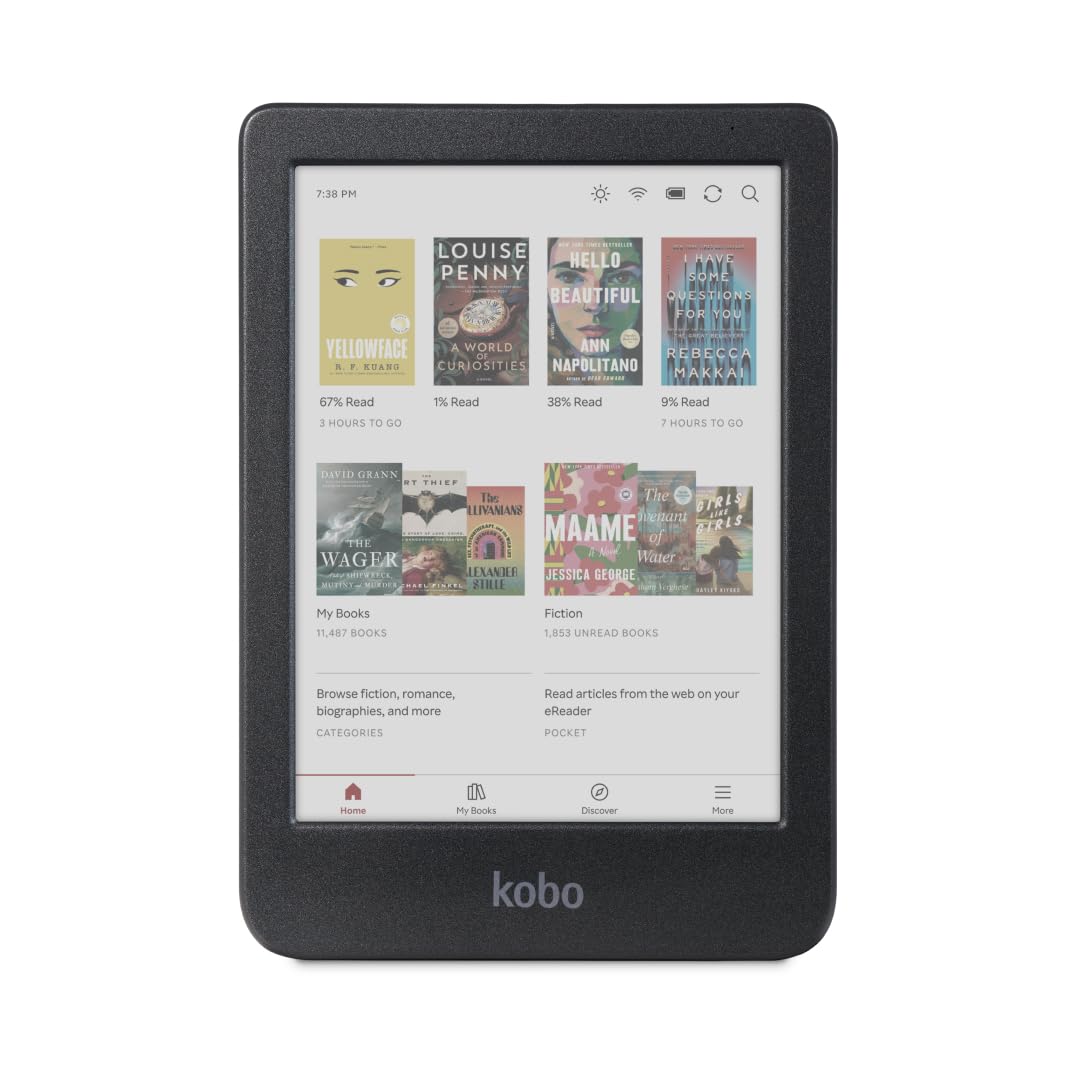
- 𝗕𝗥𝗢𝗪𝗦𝗘 𝗔𝗡𝗗 𝗥𝗘𝗔𝗗 𝗘𝗕𝗢𝗢𝗞𝗦 𝗜𝗡 𝗙𝗨𝗟𝗟 𝗖𝗢𝗟𝗢𝗨𝗥 – Book covers, comics, graphic novels, illustrations, note-taking and more come to life. No glare in sunlight, no notifications – just you and your eBooks in full-colour
- 𝗬𝗢𝗨𝗥 𝗝𝗢𝗨𝗥𝗡𝗔𝗟, 𝗗𝗔𝗜𝗟𝗬 𝗣𝗟𝗔𝗡𝗡𝗘𝗥, 𝗔𝗡𝗗 𝗠𝗢𝗥𝗘 – Dive into your stories with colourful markups. With Kobo Stylus 2* compatibility (*sold separately), annotate, highlight, and note take your eBooks in colour
- 𝗟𝗜𝗚𝗛𝗧𝗪𝗘𝗜𝗚𝗛𝗧 𝗘𝗥𝗚𝗢𝗡𝗢𝗠𝗜𝗖 𝗗𝗘𝗦𝗜𝗚𝗡 – Ergonomically designed with page-turn buttons, left/right screen rotation, full font size and margin customization, and landscape mode
- 𝗜𝗣𝗫𝟴 𝗪𝗔𝗧𝗘𝗥𝗣𝗥𝗢𝗢𝗙 𝗘𝗥𝗘𝗔𝗗𝗘𝗥 – Full waterproof protection and meets requirements of IPX8 rating – waterproof for up to 60 minutes in up to 2 metres of water
- 𝗕𝗘𝗧𝗧𝗘𝗥 𝗕𝗬 𝗗𝗘𝗦𝗜𝗚𝗡 – Thoughtfully made with recycled and ocean-bound plastic and repairability to waterproof protection
- 𝗖𝗔𝗥𝗥𝗬 𝗧𝗛𝗢𝗨𝗦𝗔𝗡𝗗𝗦 𝗢𝗙 𝗕𝗢𝗢𝗞𝗦 – Carry up to 24,000 eBooks or 150 Kobo Audiobooks with 32GB of storage and enjoy weeks of battery life
- 𝗘𝗡𝗗𝗟𝗘𝗦𝗦 𝗪𝗔𝗬𝗦 𝗧𝗢 𝗥𝗘𝗔𝗗 & 𝗟𝗜𝗦𝗧𝗘𝗡 – Join Kobo Plus and indulge in unlimited eBooks and audiobooks with a 30-day trial, shop the Kobo Store, read saved articles with Pocket, and borrow eBooks from your local library with built-in OverDrive.
,
Specification: Kobo Libra Colour | eReader | 7” Glare-Free Colour E Ink Kaleido™ 3 Display | Dark Mode Option | Audiobooks | Waterproof | Black (White)
|
13 reviews for Kobo Libra Colour | eReader | 7” Glare-Free Colour E Ink Kaleido™ 3 Display | Dark Mode Option | Audiobooks | Waterproof | Black (White)
Show all
Most Helpful
Highest Rating
Lowest Rating
Add a review
Related Products
Kobo Libra Colour | eReader | 7” Glare-Free Colour E Ink Kaleido™ 3 Display | Dark Mode Option | Audiobooks | Waterproof | Black (White)
₹19,999.00

Biswa Dutta Jena –
Heerlijk lezen. Leuk met kleur. Helemaal goed.
krna99 –
I like the device. If one wants to have some simple annotations and highlights, it is a great device. But I wanted something to write longer. The Kobo Stylus, I bought separately, did the job but it doesn’t reject the palm touching the device. That was very frustrating as it seemed difficult to write for long time keeping gap between your palm and the device. I thought about having a glove. That could have done the job.
Secondly, I see dots on the screen. I was bit distracted. Coming from a black and white e-ink to the color one made the difference. I returned the device.
Anonymous –
I had to buy this product a total of 3 times. First time, it had some scratches on the top bezels and I doubted it for a refurbished one, so I returned it hoping to get a fresh one next time. The second piece I received was full of scratches on all sides(except the screen and back, screen comes with a peel off-protective film). It was very frustrating and I had to place the order again. The third one ALSO had scratches, but relatively very less noticable ones, so I decided to finally settle for it. All pieces I received were sealed and apart from these scratches (which now I think is probably due to some rough handling during manufacturing) there were no signs of use. So please check your device in broad sunlight to see if it has any unacceptable level of scratches on any side. I am not sure it is an issue exclusive to the white colour, but I only wanted the white anyways.
Now, the reason why I dared to order over and over again is because I fell in love with reading on this device. It is way more fun than kindle, especially if you’re into comics, manga etc.
Pros-
– Great aspect ratio
– Buttons become a necessity once you get adapted to how easy it is than swiping.
– Has got dark mode for night
– Much faster and responsive than kindle
– Since it runs opensource (linux), you can install alternate firmwares like koreader, plato etc to get more custom options. If you’re a comic reader (.cbz), install koreader for a terrific experience – sometimes better than reading the actual book because you can view in larger panels and can zoom in and out of individual panels(cropped).
-Better battery life – I read a lot of comics (both colour and bw) and since it takes more refreshes, I got some 28 hrs reading time with more than a week standby on single charge. colour comics and higher brighteness drains battery more – I usually don’t read beyond 2-5% brightness.
– relatively quick charging – might take around 2 – 2.5 hrs (haven’t checked yet)
– Very light weight
Cons
– Very Low brightness without backlight. This is not an issue with the device but rather the underlying colour technology which is still in it’s nascent stages, and further, better display options are not available in India currently and are not cost-effective in comparison. However, you’ll easily get accustomed to it…I only use backlight (2-5%) when the lights are off or if it’s too shady indoors.
– Very limited options for accessories and too damn expensive even for a case! forget about the existence of screen protectors.
– kobo store is not as big as kindle ones, and you may not find a lot of Indian authors. This doesn’t affect me as I have a kindle if need be, and I sideload most of my books anyways. The subscription cost is the same and you get access to a lot of free books too.
– I have bought and returned the stylus (sold seperately) twice because it was causing scratches (I tried with the protective film on). I checked reddit and saw multiple people complaining about the same. So if you plan to buy it, DO NOT use it on the bare screen first. Both the nib and top can cause scratch, so test it out thoroughly. I have also heard that metapen is also compatible with this device, and is a couple of thousands less.
– FREEZING ISSUES: If you use the epub files downloaded from the internet that were working fine with you kindle or other devices, it MIGHT cause frequent freezing and auto restart in Kobo. In case you’re experiencing this, the best fix is to convert it into kepub files using calibre or other softwares. You can search about these in the web. Once I’ve done it I haven’t experienced any issues so far.
Sanat –
This is a great device.especially with kindle being unavailable in India for almost a year now, this is abhorrent good alternative.
Stagebox –
Tenía muchas dudas con respecto a qué ebook elegir, pero sin duda he acertado.
Para mí es muy cómodo tener la opción de pasar páginas de manera táctil y con botones, ya que es menos probable que pase la página sin querer. Tenía miedo de que al ser a color se viera muy granulado, pero para nada, además trae la opción de minimizar ese efecto si llega a molestarte en algún momento. Como podéis observar tiene muchas opciones de configuración y eso que solo he mostrado algunas. Los colores se ven increíblemente bien y la lectura se hace muy amena y rápida. No pesa casi nada y al ser blanco, no se aprecian la huellas ni manchas que en mi anterior ebook se notaban en seguida. La subida de libros mediante Google drive se me hace muchísimo más cómodo y tarda muchísimo menos que al pasarlas por correo en otros dispositivos. Admite muchísimos formatos y nunca tengo problemas. Va muy rápido, carga completa en menos de hora y media y me dura mucho la batería a pesar de utilizarlo a diario. Además puedo ver mis estadísticas de lectura y crearme mis cuadernos literarios. Estoy deseando comprarme el lápiz para poder hacer más anotaciones. En definitiva no puedo estar más contenta con la compra. Recomiendo al 100%
Sanat –
Decided to get this after looking up many reviews on YouTube and various review sites. I previously used to have a regular non backlit kindle (probably a 2nd gen). Got this at a slightly lower than MRP price (~18.6k after bank discounts) but worked out as much as it would if you were buying it from abroad (USD $220 MRP). Here is my unstructured review.
Colour display – something new, and comics look nice, although not very easy to read on the smaller screen unless you zoom. The colors are not what you’d expect from an led display like a phone, so keep your expectations in check, the tech for that isn’t there yet. However, this was not a big deal for me.
Physical buttons – now this was important to me. I like touch screen displays generally, but it just isn’t as nice when reading a book. The two buttons make turning pages very simple for the hand. The thumb just rests in a button, and press for the page turn. You can still use touch/swipe on screen, but I don’t find myself using that as much.
Software setup and UI – Very simple to get it started, and some level of customization for the library, although would have liked to have more freedom with organizing/hiding/folders etc. Epubs work without any conversion. I was able to link my google drive account and transfer books via my phone this way. The settings aren’t too complicated to find your way around.
Other good things about this that I won’t get into – good form factor, waterproof, charges quickly, decent battery life (~20h with backlight 40% and reading book, not tested for comic), power button placement, USB C connectivity. Nice to have, but I’ve not used these fratures – repairable, can use a stylus (some 3rd party ones too), audio books. Also picked up the official cover, fits well, easy to hold, feels good to touch (faux leather).
Only thing I wished for is that this was available at a lower price. But I couldn’t wait for a price drop, as I had a huge backlog, and I was wasting precious time in travel not really doing anything productive. The cover wasn’t cheap either, but no other 3rd party options available as yet, and I can’t let an expensive device like this get scratches in my bag.
Jacqueline –
Brak możliwości czytania książek z iBUK PWN. Poza tym bardzo fajne urządzenie. Powidoki bardzo długo zostają na ekranie.
Pannaga Simha –
This was a replacement to my 8 year old gen 7 backlit Kindle. The first thing that stuck me was how easy it is to navigate through pages and highlight text. The extra low weight only helps keep fatigue at bay. I had to follow a detailed video on YT after which all my previously purchased eBooks are now on this device (was a breeze to accomplish). Highly recommend.
María –
The Kobo Libra Colour E-Reader has been an excellent upgrade for me! The side buttons are a standout feature, similar to my older kindle, making it incredibly easy to navigate through books and hold the device comfortably during long reading sessions. The colour screen has exceeded my expectations, especially when reading comics—though it can’t completely replace the experience of printed material, it’s a fantastic way to carry and enjoy multiple comics on the go.
I also purchased the stylus, and so far, it’s been great for note-taking. It’s responsive and smooth to use, though I do wish there was an option to sync notes with OneDrive. Google Drive works fine, but having more options would be a nice touch.
One of the biggest perks has been the ability to connect to my local library and borrow books for free—this has been such a game-changer! The transition from my Kindle was seamless, and I have no regrets about making the switch. Overall, this is a solid e-reader that I’m very happy with.
María –
It maybe a good e-reader but up till now I haven’t been able to put any books on it… been talking with Kobo helpdesk but there’s no solution yet.
If it doesn’t work by the end of this week I’ll be sending the e-reader back
Anish –
Does not work
Kay –
I am very happy with this kobo even with the darker screen. Reasons? Book anotation in colour, usb c port, the freedom of use a kobo user has(vs kindle), and good build quality. The larger than standard screensize is perfect too. Highly recommend.
Fahad Afzal –
Coming from Kindle Oasis, KLC is surely an upgrade in all aspects – battery life, color screen, side loading support and so on.