


D-Link R15 | AX1500 Eagle PRO 1500Mbps Dual Band AI Powered Wi-Fi 6 Router 2.4 GHz up to 300 Mbps & 5 GHz up to 1201 Mbps | High-Gain Antennas…
₹2,399.00
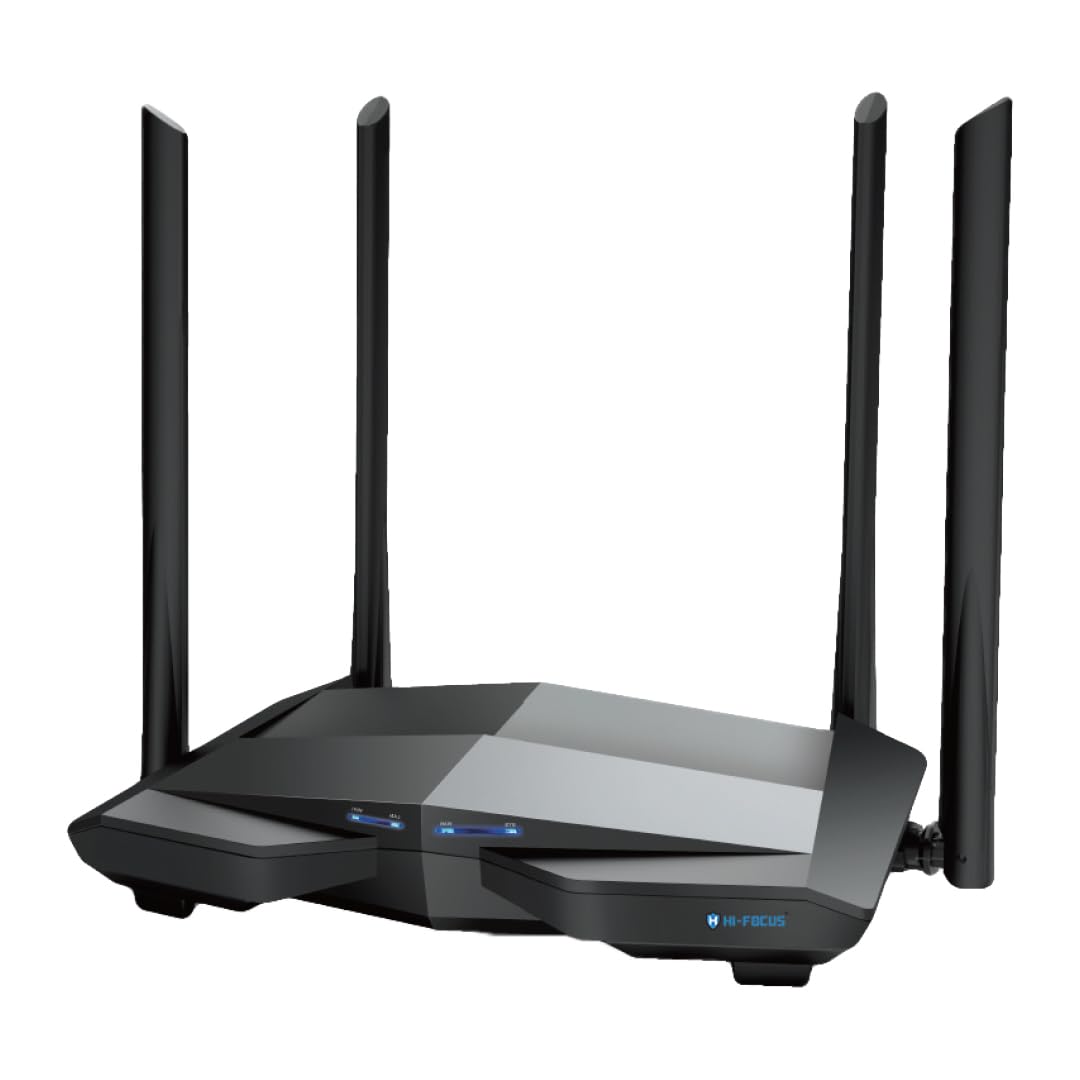
- Wi-Fi 6 AX 1500 Mbps WAVE 2 Dual band wireless router with 4 high gain Omni Antenna
- Gigabit Ports — One Gigabit WAN & Three Gigabit LAN ports for high speed wired connectivity.
- Easy Setup: Super simple set-up with the D-Link Eagle Pro AI Mobile APP Or with intuitive WEB GUI setup wizard.
- D-Link AI Technology: AI Mesh Optimizer, AI Wi-Fi Optimizer, AI Traffic Optimizer, AI Parental Controls;D-Link Easy Mesh Support, Can create a mesh network of 1+3 devices.; 3 Year Warranty. Supports WPA, WPA2, and the latest WPA3 Wi-fi Security
- Security Protocol: Wpa2-Psk
,
Specification: D-Link R15 | AX1500 Eagle PRO 1500Mbps Dual Band AI Powered Wi-Fi 6 Router 2.4 GHz up to 300 Mbps & 5 GHz up to 1201 Mbps | High-Gain Antennas…
|
8 reviews for D-Link R15 | AX1500 Eagle PRO 1500Mbps Dual Band AI Powered Wi-Fi 6 Router 2.4 GHz up to 300 Mbps & 5 GHz up to 1201 Mbps | High-Gain Antennas…
Show all
Most Helpful
Highest Rating
Lowest Rating
Add a review
Related Products


D-Link R15 | AX1500 Eagle PRO 1500Mbps Dual Band AI Powered Wi-Fi 6 Router 2.4 GHz up to 300 Mbps & 5 GHz up to 1201 Mbps | High-Gain Antennas…
₹2,399.00

Placeholder –
Worst product I’ve ever come across. The router has AI capability to optimize traffic but it failed. I have 4 to 5 devices and my zoom meeting starts lagging despite the internet connection is good. They have lied in the product description for area coverage, it is insufficient for 1BHK as well. It is overpriced and waste.
Shreyas Bailkar –
This router is great for home use. I’ve been using it for 6 months now and the WiFi reception is amazing. Supports WiFi 6 and provides over 600 MBps on my Galaxy S23 and 500 MBps on my AX210 WiFi laptop. The 2.4 GHz band and 5GHz band show up as one SSID. If you are connected to the 5GHz band and walk away, it seamlessly switches to the 2.4GHz band, but when you come back to the range of the 5GHz band, it does not switch back unless you manually reconnect the WiFi on your device.
The included adapter is a bit short at 1.3m compared to other routers I’m used to.
The Eagle AI app needed to set this router is absolutely trash. It forces you to make an account and sign in every time you open it to configure it… WHILE YOU ARE TRYING TO SET YOUR INTERNET!!! Do you get the irony?
Nathan Dias –
1. Bridge mode
2. router mode
3. Extended mode
4 separate 2.4g & 5g your choice
5. Band selection your choice
6. 2.4g not ax WiFi very bad only b.g.n mode
7. Many times reboot is draw back
8 coverage wifi is medium
ArindamC. –
Been using this router for over a month now, mostly operational with a few bugs here and there. I grabbed this during the introductory sale for ₹2,750 so no complaints regarding the price. Here comes the initial observations after a month of usage – firmware is a bit unstable and needs a lot of refinement through OTA updates, WPA3 & Mesh have bugs, settings like Beacon Interval & RTS threshold are locked, performance of AI is not up to the mark, router needs to be rebooted every two odd days for lag free operation, UI is slow and takes 1.5-3 minutes (sometimes over 5 minutes) to update settings and reboot. D-Link should definitely look into these and fix them with OTA updates. Else everything is well and good.
#Update After 3 Months: Updated firmware to version 1.05.01, router operation is mostly stable now. WPA3, Mesh, and Secure DNS bugs have been resolved. AI still requires further improvements. Manual tweaking options (e.g. Beacon Interval, RTS Threshold, etc.) are still not provided.
Nathan Dias –
Using this device as extension to 200 mbps fibre Connection. Very Low Range, Disconnecting very frequently, low signal strength.
Rajveer Sharma –
Update – Returning this, worked well for a while but giving random issues which are as below:
* First one was randomly disocnnection and / or rebooting, replaced and got a fresh piece.
* Fresh piece didnt have issues of disconnection but the speeds I get are low.
* My connection is 400mbps but max this router reached was 300mbps. Thought it to be an issue with ISP , complained but was checked with their device and speeds were as much as 380-390mbps on a 400mbps connection
* Even on 2.4Ghz signal range was ok but max speed attained even sitting besides the router was just 75-80mbps max, no setting nothing made it reach more than that. Once it reached 135mbps but that was about it.
CONCLUSION: Requested to return this, probably this router still has some software / hardware issues which I am not willing to deal with anymore. Specs on paper are extemely good for the given price point but product fails to delivers in real world. Most of the AI features are just gimmick, doesnt work in real life.
For those confused by Negative Reviews and don’t know whether to buy. Has been in a same situation before I bought. Router has no issues at all in anything. Following are the common complaints that all the people mentioned:
1. Low download speeds
2. High ping rates
3. Rebooting issues
4. Heating issues
My experience initially:
Got it in evening, called my ISP for I’d password and got MAC reset done by then so I can get new router connected. Setup through phone using Eagle Pro App, took hardly 10 minutes coz app is a bit buggy.
Then comes the hard part. Speed on wifi is 20 Mbps, on a 300 Mbps connection, I am shocked to see it. Look at the router login and see the firmware version.
Remedy: Router had firmware version as 1.4.4, due to my previous experience I knew that updating firmware to latest would most likely resolve the issues. So I search “D-Link R15 Firmware” in Google and first link has all the zip files. Download latest version i.e. 1.6.10. Extract the zip and you would get a bin file.
Now go to router interface in system, Management and then to upgrade, click on advanced, select bin file and update. Would take few minutes and you have latest firmware. Now just to be sure, I reset the router to factory defaults by using reset button at back of router.
It restarts and I do the configuration again. And now that I connect it to my ISP ont device I get close to 300 Mbps speed everytime.
Nutshell: Update the firmware and you will get all that the specifications of this router promise.
Haven’t found any issues since 2 days, will update if I find any.
Wanted to help those who are lured by Wifi 6 at such a reasonable price but are afraid that it might not work. So I am giving complete process here so no one holds back on buying this going by Negative Reviews. It’s bang for the buck.
Sri S –
Good Product. loved the finish and the features.Perfect for my need. Overall a great buy! Recommended
Placeholder –
Using this for around 4months. My experience so far – very good. I am getting WiFi 6 in almost all the areas of apt(~1600sq ft). More than 12 devices are always connected and additional devices in between. Getting 100 or more in 100Mbps BSNL fiber. 2bars at the extreme ends of apt, after 2 walls so in that case speed drops, especially if the doors are closed. Streaming works without buffering in all the rooms. Setup was easy but mobile app is just average.
After reading many -ve reviews here, I was thinking about buying some other router but kept in my list because of WiFi 6 and the price (~3K). I read reviews in other technical sites/blogs/YouTube and those were positive so decided to take the risk and order this. I was facing frequent connection drop in my old Netgear router and that is why I started looking for a new one. I didn’t face any such issues in this one so far. So I recommended this few of my team members and friends as well.
If you are looking for a budget WiFi 6 router, you can consider this for sure.
Note: Initially I enabled same SSID for all the channels but then many devices were connecting to 2.5Ghz channel. Then I configured 3 IDs(5Ghz, 2.5 and 2.5guest) which improved the performance as the devices are connecting to 2.5 channel only when 5Ghz channel is not available.