
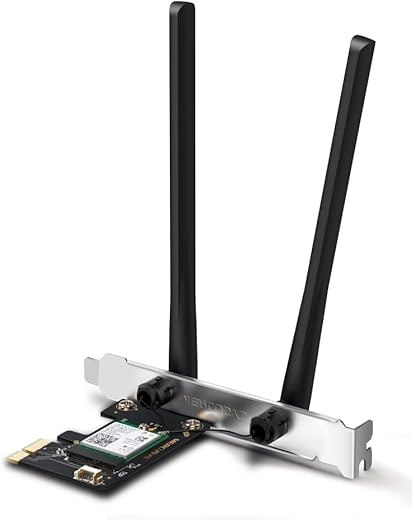

TP-LINK Archer T5E AC1200 Wi-Fi Bluetooth 4.2 PCI Express Adapter with Two Antennas, PCIe Network 2-in-1 Interface Card, Dual Band Wi-Fi Wireless,…
₹599.00
- Ultra-Fast Speed – Make full use of your network with Wi-Fi speeds up to 1167 Mbps (867 Mbps on the 5 GHz band and 300 Mbps on the 2.4 GHz band)
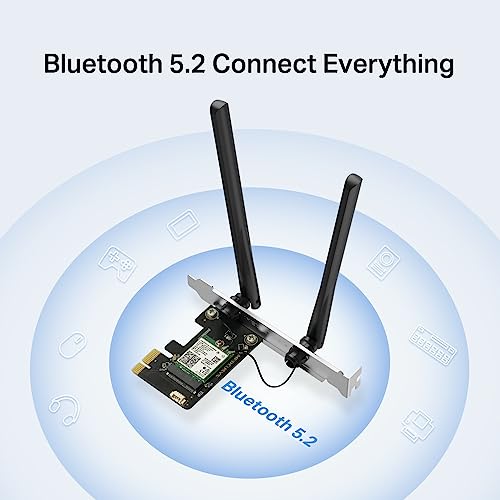
- Bluetooth 4.2 – Achieve 2.5x faster speed and 10xmore packet capacity than Bluetooth 4.0
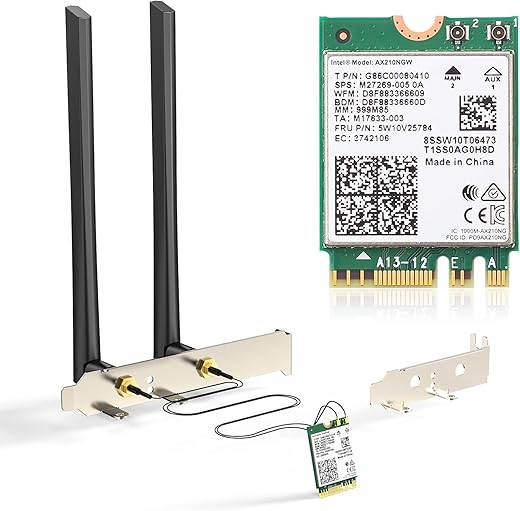
- Broad Wireless Range – Connect to your Wi-Fi in more parts of your home with two external high-gain antennas ensuring greater coverage and enhanced stability
- Easy Installation – Plug the adapter into an available PCI-E slot to upgrade your desktop
- In an unlikely case of product quality related issue, we may ask you to reach out to brand’s customer service support and seek resolution. We will require brand proof of issue to process replacement request.
,
Specification: TP-LINK Archer T5E AC1200 Wi-Fi Bluetooth 4.2 PCI Express Adapter with Two Antennas, PCIe Network 2-in-1 Interface Card, Dual Band Wi-Fi Wireless,…
|
13 reviews for TP-LINK Archer T5E AC1200 Wi-Fi Bluetooth 4.2 PCI Express Adapter with Two Antennas, PCIe Network 2-in-1 Interface Card, Dual Band Wi-Fi Wireless,…
Show all
Most Helpful
Highest Rating
Lowest Rating
Add a review
Related Products



TP-LINK Archer T5E AC1200 Wi-Fi Bluetooth 4.2 PCI Express Adapter with Two Antennas, PCIe Network 2-in-1 Interface Card, Dual Band Wi-Fi Wireless,…
₹599.00

JoshOz –
Prodotto di buona qualità, facile da installare con un ottimo segnale wifi. Avevo bisogno sia di una scheda di rete wifi per il mio fisso ed anche di una Bluetooth per poterci collegare il controller wireless. Ho preso due piccioni con una fava. La scheda è autoinstallante con W10, ci ha messo pochissimo ad impostare automaticamente sia il Bluetooth sia il Wifi. Nel caso servano driver, viene anche fornito un CD-ROM. Nel pacco iniltre troverete il supporto per PC con micro case, le due antenne (belle grandi) ed il cavo da collegare alla mobo per il Bluetooth. A peoposito di questo, siate sicuri che sulla scheda Prodotto di buona qualità, facile da installare con un ottimo segnale wifi. Avevo bisogno sia di una scheda di rete wifi per il mio fisso ed anche di una Bluetooth per poterci collegare il controller wireless. Ho preso due piccioni con una fava. La scheda è autoinstallante con W10, ci ha messo pochissimo ad impostare automaticamente sia il Bluetooth sia il Wifi. Nel caso servano driver per sistemi operativi più vecchi, viene anche fornito un CD-ROM. Nel pacco inoltre troverete il supporto per PC con micro case, le due antenne (belle grandi) ed il cavo da collegare alla mobo ed alla Scheda di Rete per abilitare il Bluetooth. A proposito di questo, siate sicuri che sulla scheda madre ci sia un header usb libero (quello a 9 pin) o dovrete comprare uno splitter per far funzionare tutto. Io ho dovuto farlo perché la mia mobo ha solo un header per le porte usb 2.0 frontali del case. Inoltre, se avete una GPU dedicata abbastanza grande, siate sicuri il connettore PCIe sia libero da ingombri.
abhi –
Everything is great, the wifi is good, but the bluetooth stopped working suddenly after 2 years 🙁 Reducing rating to 3 stars
Abhisek Sao –
Bluetooth, speed very very slow, Bluetooth connection lagging with any Bluetooth speaker, i don’t recommend this device for Bluetooth connectivity , please don’t buy for Bluetooth
3/10/24 after 4 months and windows update laging issue 20% stabilised but speed gone down…17/11/24 now it is working well after windows update problem solved,speed now slow of bluetooth but connectivity is good.
Alfofer –
Top. De desktop nu zonder kabel te gebruiken
Sayan D. –
A very nice product, very useful for old desktops. easy to install. Good to go with it. I’ll 4 stars because it comes up with Bluetooth 4.2. Still, the connection is very strong. I bought it in 1999/-. 👍👍
Amazon Customer –
I had bit of fear before purchasing viz. it may fit in Motherboard or not, Wifi & Bluetooth connectivity etc. . But, fortunately it all goes smoothly. after installation a simple update (windows 11) was enough. Few days have passed and no connectivity issue till date.
Now my PC is 5G enabled with good speed and my 2 Bluetooth earpods are also working well with no sound lag issue. I shall re-update my review after use of 6 months.
Rishav Chourasia –
Ürün işini yapıyor. Hem Bluetooth Hem de WiFi olsun derseniz masaustu bilgisayarlar için oldukça yerinde ürün.
Kshitij –
A good, simply designed, plug-n-play device fulfiling the basic needs of a Desktop Computer by providing Dual Band WiFi+Bluetooth 4.2 Combo. Who knows how to install in cabinet can easily install the wifi module but for bluetooth there is a seperate cable in the box which should be connected to an internal USB 2.0 male headers from the WiFi device to make bluetooh work. Otherwise you have only a working wifi.
The main headache is to identify an internal USB 2.0 male headers on your motherboard. Some has only one just like mine. Thus I had disconnected my front USB 2.0 IO of the cabinet to use the Bluetooth. I wish they should give another adapter to connect it in the rear USB 2.0 IO of motherboard or internal USB 3.0 male headers.
Otherwise I am satisfied with the product.
An free advice to new buyers, indentify the USB 2.0 male headers on your motherboard by checking your motherboard manual which may also be available in you manufacturer’s website or contact an expert.
Milton –
It’s a good product and useful. Highly recommended
pradeep k. –
Dual Band Wi-Fi for Faster Connections
Archer T5E is an 802.11ac dual-band Wi-Fi PCI Express adapter with speeds up to 1167 Mbps (867 Mbps on the 5 GHz band and 300 Mbps on the 2.4 GHz band), providing Wi-Fi signals on two separate bands for all your online needs.
Choose the 2.4 GHz band for surfing, emailing, and social media
Or switch to 5 GHz band for gaming, streaming, and large file downloads.
Arm Your PC with Bluetooth 4.2
Archer T5E is compatible with advanced Bluetooth 4.2 technology, achieving 2.5× faster speed and 10× more packet capacity than Bluetooth 4.0 to turn non-Bluetooth PCs into Bluetooth-Capable.
Powerful Antennas for Broader Coverage
Two powerful signal-boosting high-gain antennas greatly extend your existing Wi-Fi reception capabilities, allowing you to enjoy fast and uninterrupted 4K streaming and smooth gaming.
Just connect your Bluetooth devices to your computer and enjoy.
WPA/WPA2 encryption standards ensure your data is safe from cyberattacks
Supports Windows 11/10/8.1/8/7 (32/64 bit)
In addition to the standard bracket, a low-profile bracket is also provided for mini tower computer cases
Kshitij –
Model : Archer T5e AC1200
This is the latest product which comes with the Wifi and Bluetooth. Their are many Cards with Wifi ranging from ₹500-₹1500 from TP-Link , so for the Wifi then can buy a ₹800 Dual antenna model.
My main purpose is for the bluetooth , bcoz their ain’t a single Product that fullfill the requirement. I have brought many Local USB bluetooth dongles (none of them would work with a modern PC) , TP-Link nano Bt4.0 for ₹500 (Get this if you only need for sound output). Well if you are using a bluetooth headphone or an earphone and uses them for voip during the games and meetings then this is the thing you want.
Product :
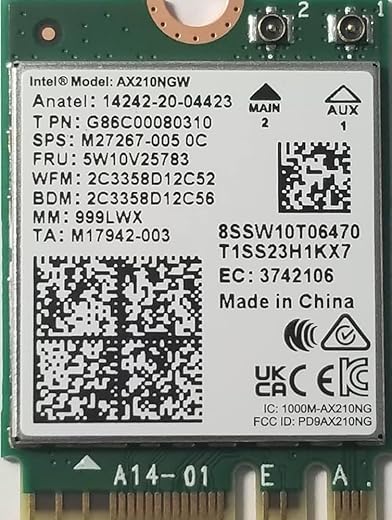
Well basically this is a Intel Dual Band Wireless-AC 7265 Modem. So you don’t have to do anything with a TP-Link modem/drivers or something , what you are paying for is an Intel Modem, like the laptop modems (which won’t fit in M.2 slots of motherboard). What TP-Link T5e does is provides a bridge between the modem and PCIe slot as well as Antenna.
Performance :
Wifi (802.11 AC) : I am currently running wifi only (unplugged Lan cable) and not finding any difference of speed in Downloding and Browsing or while gaming. Nor any network disconnection for few seconds while gaming. I will put the Lan cable apart after few more days of checking the performance.
Hotspot works well in both 2.4Ghz and 5Ghz mode.
Bluetooth (Intel 4.2): Well the main reason i brought this. Currently during the Classes and meetings, you can move around with a wireless headset (if you use a Desktop). This made it a much more comfort that i can move freely in my room and listen and talk simulatinously. (This won’t be possible in Tp-Link BT4.0 adapter or so.)
Installation:
Attached a pic of how much area does it cover wrt a GPU. If you are placing it above or below it won’t matter.
You can download the drivers from TP-Link site (international) or from Intel directly. It may work straight OOB but it’s strongly recommend to install both Wifi and BT drivers.
Should you buy it?
Considering it cost 2.2K , I wouldn’t recommend it if you are building a new PC. Now a days many Motherboards (budget or premium) comes with inbuilt Wireless modem. So it’s better to spend 2-2.5K extra in Motherboard.
If you already have an existing motherboard w/o wireless modem , or are looking for a Decent Mid-High range motherboard in budget which doesn’t have the wireless modems (and don’t wanna buy costly Entry level boards) then this product may fullfill your needs in future.
Didn’t find any review for this so thought to write myself :p
Tan Rachel –
I have been using a powerline adapter to connect my pc via Ethernet cable to my router because my pc did not come with wifi. After recently upgrading my internet connection I realised I was only able to get half the download speed with the powerline adapters so I decided to try this pci-e wifi adapter. I was sceptical after reading a negative review about poor 5ghz reception. Thankfully this does not appear to be an issue for me. With this adapter I now max out my internet speed which is great.
Installation is quite simple and if you’ve ever opened your pc and installed a video card or a hard drive then you should have no trouble doing the install yourself. You just need a spare PCI-e port. A couple of things to note – it comes with a cable that connect to the card then to motherboard but it’s only required if you want to use the Bluetooth function. I did not connect it. It comes with a cd with drivers but I think these are for the Bluetooth component as I didn’t use the cd and the wifi card worked straight away. If you want the card to use the 5GHz band all the time then you need to go into control panel, find the network card under Network Adapters, right click and go into Properties/Adanced for the adapter then on the first property change the value to ‘1. 5GHz 802.11a’ then scroll down to Preferred Band and change from ‘1. No preference’ to ‘3. Prefer 5Ghz band’. This ensures you get a 5Ghz connection all the time (providing your router supports 5Ghz). Don’t change either of these options if your router doesn’t support 5Ghz.
Also, some of the other pci-e wifi cards had large heat sinks on them which would have been very close to my video card or maybe not even fit but this one is very compact. Overall I would recommended this for someone looking to add wifi to their PC.
Kullanıcı –
I would think this is very value-for-money. It has good speed and even has Bluetooth (which was super useful as my desktop didn’t have it)