



ADATA Ultimate | SU650 | 3D NAND | 240GB | R/W Speed Upto 520/450MB/s | SSD – su650 | ASU650SS-240GT-C
₹1,799.00
- Check out the buying guide in videos section
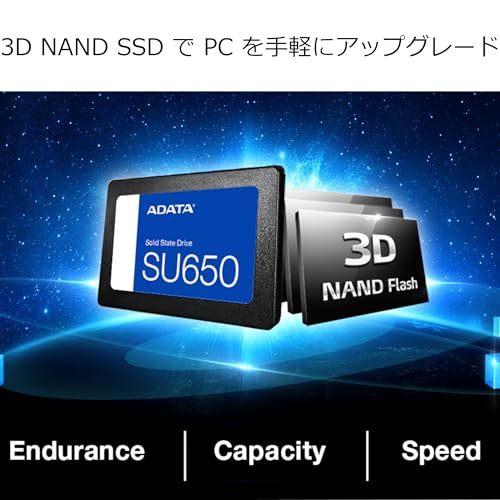
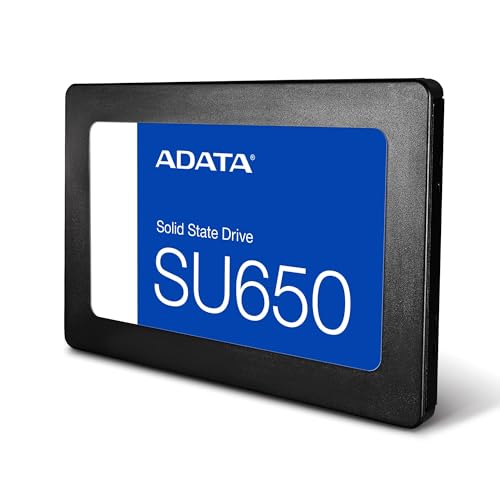
- The Ultimate SU650 solid state drive implements 3D NAND Flash and a high speed controller, offering capacities up to 1.92TB.
- It delivers read/write performance up to 520/450MB/s and greater reliability than 2D NAND SSDs.
- The intelligent SLC caching algorithm allows NAND Flash memory to operate in single-level cell mode and boosts performance, helping sustain peak SU650 read/write speeds up to 520/450MB per second for smoother and faster boot, file transfers, and downloads.
- Warranty: 3-year warranty
,
Specification: ADATA Ultimate | SU650 | 3D NAND | 240GB | R/W Speed Upto 520/450MB/s | SSD – su650 | ASU650SS-240GT-C
|
13 reviews for ADATA Ultimate | SU650 | 3D NAND | 240GB | R/W Speed Upto 520/450MB/s | SSD – su650 | ASU650SS-240GT-C
Show all
Most Helpful
Highest Rating
Lowest Rating
Add a review
Related Products


ADATA Ultimate | SU650 | 3D NAND | 240GB | R/W Speed Upto 520/450MB/s | SSD – su650 | ASU650SS-240GT-C
₹1,799.00

Renan Santos –
Produto excelente! Rápido e eficiente.
Amey Lad –
Purchased this SsD on 1st September 2020.
And I installed it. Speed is good, no Boot time.
And when I tried to register this product, I am getting error, “please register your SSD”.
And hence not able to collect Acronics product key.
I contacted ADATA, BUT strenge reply I got.
They suggested to replace product.
Took 9 days to receive this product, and after replacement what is the gurentee I will not face same issue.
Even I’m not confirmed, my product is got registered or not.
I sent mail to ADATA, for this, and I’m not getting any reply.so doubt if my ssd stopped working, how they are going to provide me support.
So careful.
After few days it stopped working.
Runion –
ADATA SU650 SSD 240GB
BACKGROUND:
SSD’s are made with solid state memory. As spinning HHD’s have their negatives, so do SSD’s.
PLUS SIDE:
SSD’s move data faster because they dont have to move a mechanical device to read it on a platter position.
They give the suggestion that your computer is running faster, it’s not. The processor only runs as fast as it is made to run. Once your info is loaded from the drive, the computer runs as usual, the same speed.
The Operating system loads faster at start up, some think this is crucial, it is a gimmick to what really is going on.
CONCERNING SIDE:
is the lifespan of the SSD.
All memory drives have this concern but using the SSD as the main drive, the memory is accessed all the time making the problem more important to know about.
When memory is written to, it uses a electronic zap with marks a 0 or 1 in the memory. EACH TIME this is done, the memory begins to create resistance to the next write in that spot.
So many writes and the memory will not write anymore. This can take years, but it will happen.
manufactures have tried to lessen the problem of “write wear” by moving the writes to different positions on the memory chip. This helps extend the life of the memory.
One example, some server companies had installed SSD’s, thinking they would be lightening fast, and they were. But they access the drives on 24/7 basis and a little over a year, they started having SSD failures.
SSD’s do not warn you that they are going to fail, it just happens. Most of the time when they do fail, you cannot retrieve your data, it is lost. THIS IS WHY you make back ups on HHD’s.
That server company replaced all the SSD’s with HHD’s as HHD’s use magnetic technology and do not suffer from write wear. Though they can have other problems much further down the span of its lifetime.
HHD’s will write to any open space on the disk, which is why sometimes they need to be defragged.
SSD’s write in blocks of memory. IF they do not fil that block, they will remove that block and REWRITE IT filling in that open portion of space on a new block. This is increased writes on the memory also.
I urge you to look up how the SSD’s work, how they increased sizes in memory and how it affects the memory and speeds of the drives. You may be surprised.
PACKAGING:
was in a bag, brand new.
The SSD is light and plug and play basically.
Sometimes you need to initialize them before you can use them.
MY PURPOSE was to see what difference I would see in using them and how long the life would span to.
for my use, it sped up start up a bit, everything else was as usual.
I dont put a lot of writes on the main drive so we will see how this works out over time.
It functions much like the old standard HDD. You will hardly notice any operational difference.
YOUR USE MAY VARY
If you use a drive for a server where everyone accesses it everyday, you may see a few years life before the write wear takes it out.
If you use a drive for film or picture editing, and chose an SSD for speed of writing and reading to/from disk, it would behoove you to make back ups as in time, write wear may eventually take it out. Make the Backup on HDD’s.
If you use the SSD for home or office where you dont use it much or dont write to it a lot, it will do well, but I still advise strongly to make back ups, at least weekly on a HHD.
I do not know the seller nor did I get any money or product for my random review.
240423 1513
Bogy –
Na partitionering was de Read and Write test 350Mb/S -180Mb/S gemeten met Crystaldiskmark 7.1 versie.
Tarun Gupta –
Best SSD ever..
Prashant Tripathi –
This works perfectly on my 10 years old laptop and delivers what it promises
Only things I didn’t like is the price which was showing 3.3K and post discuunt it was made available for 2500/- at the time of sale a month back however the actual price is 2476/-
Do not believe in big sales as it is not for real
Hk –
In my 5th generation i5 processer laptop the reading and writing speed is above 250 MB/s which is almost 7 to 10 times my old hdd. Never expect the maximum speed that adata predicts.
I have recently changed by 4gb ram to 8gb which did not give much change in speed. But by changing hardisk from hdd to ssd the boot time reduced considerably .also restarting and shutting down time.
Earlier my laptops problem was delay in starting and shutting due to heavy applications like autocad. So who are having the starting delay i suggest to change their hdd to ssd.
Valuable for rs 2250 during offer Season.
Marc M. –
Habe mir die SSD im Juli 2022 gekauft, um damit einen älteren Laptop etwas schneller zu machen, das Ergebnis war deutlich spürbar und würde sie für den Preis defenetiv empfehlen! Läuft noch ohne Probleme!
Karthick –
Cheap and best SSD, go for it.. supports almost all old computers..
adi –
I was considering to upgrade my old pc (windows 10, dual coreE5700 processor, 4gb ddr3, 2gb graphic card, 2tb hdd 5400rpm) that i use for office work and web browsering. Since the pc is quite old, and supports only SATAII interface, I have been unable to utilise this ssd to its full potential.
But the results after installing ssd are quite significant,which clearly are evident from OS boot time, and web browsering with chrome and Firefox. The pc no longer lags or hangs.
So worth the price.
Renzo –
Ssd veloce e con ottima confezione
Aakash –
I wanted to buy an ssd and use it as a boot drive for my old system. It has an H61 motherboard and does not have SATA III, so I did not want to go for something very high end. My old HDDs were making the system too slow. So I bought this for about 2.8k from Amazon. The ssd arrived in time and was packaged well. After installing it, my computer has got a new life in a way. Things like booting to windows, installing software and opening files and folder is much faster than before! If you want a budget option, this ssd can ve great and you do not need anything else unless you are pairing it with other high-end components.
Sam –
Was confused with this and crucial. But after looking online for different ssds, found out this ssd has a much longer life compared to crucial. Just an amazing ssd. Installed it seamlessly. I bought an adata enclosure also. Downloaded the free disk management app from adata website. Using that I cloned my internal HDD into the new drive. Changed the drives and boom it was magical. The system boots up in seconds. No lag whatsoever. Applications run smoothly. Highly recommend this drive specially on older laptops, they become really fast. Will update the review after a few months of usage.
Update – After 4 months of use its an absolute beast! My 10 year old windows laptop is now able to play games!