Navigate the laptop market with ease. This comprehensive guide covers all types, from gaming powerhouses to budget-friendly options, helping you make an informed decision.
Introduction
Buying a laptop in 2025 can feel overwhelming with the sheer number of choices available. Whether you’re a gamer, a student, a professional, or simply need a reliable machine for everyday tasks, this guide will help you navigate the options and find the perfect laptop for your needs.
1. Understanding Your Needs
Before diving into specifications, it’s essential to determine how you plan to use your laptop. Consider the following categories:
- Casual Use: Browsing, streaming, social media, and basic office tasks.
- Student Laptops: Budget-friendly with good battery life and portability.
- Business & Productivity: Reliable, long-lasting, and efficient for office tasks.
- Creative Professionals: High-performance laptops for video editing, design, and music production.
- Gaming Laptops: Powerful GPUs, high refresh rate displays, and efficient cooling.
- Ultra-Portable & 2-in-1s: Lightweight, versatile devices for travel and note-taking.
2. Key Laptop Specifications to Consider
a. Processor (CPU)
- Intel: 13th/14th Gen Core i3, i5, i7, i9 (for budget to high-end use).
- AMD: Ryzen 7000/8000 series (great for performance and efficiency).
- Apple: M2/M3 chips (powerful and optimized for macOS users).
b. Graphics Card (GPU)
- Integrated Graphics: Ideal for basic tasks (Intel Iris Xe, AMD Radeon Vega).
- Dedicated GPUs:
- NVIDIA RTX 40-Series (4060, 4070, 4080, 4090) for gaming and creative work.
- AMD Radeon 7000-Series for gaming and high-performance computing.
c. RAM (Memory)
- 8GB RAM: Minimum for everyday tasks.
- 16GB RAM: Ideal for multitasking, gaming, and creative work.
- 32GB+ RAM: For professional-grade editing, 3D rendering, and gaming at high settings.
d. Storage (SSD vs. HDD)
- 256GB SSD: Suitable for basic users.
- 512GB SSD: Recommended for most users.
- 1TB SSD & above: Best for gamers, professionals, and those who store large files.
- NVMe SSDs are faster than traditional SATA SSDs.
e. Display
- Resolution: 1080p (Full HD), 1440p (2K), or 4K for high-end creative work.
- Refresh Rate: 60Hz (standard), 120Hz/144Hz+ (for gaming and smoother visuals).
- OLED/Mini LED Displays: Better color accuracy and contrast for professionals.
f. Battery Life
- Basic Laptops: 6-8 hours.
- Premium Ultrabooks: 10-15 hours.
- Gaming Laptops: 3-6 hours (expect shorter battery life due to power consumption).
g. Connectivity & Ports
- USB-C / Thunderbolt 4: Fast data transfer and charging.
- HDMI / DisplayPort: Essential for external monitors.
- Wi-Fi 6E / 7 & Bluetooth 5.3: Future-proof wireless connectivity.
3. Best Laptops by Category (2025)
Best Budget Laptop
- Example: ASUS VivoBook 15 (Intel Core i5, 8GB RAM, 512GB SSD)
- Why? Affordable, solid performance, and good battery life.
Best Student Laptop
- Example: Lenovo IdeaPad Flex 5 (Ryzen 5, 16GB RAM, 512GB SSD)
- Why? 2-in-1 design, excellent battery life, and affordable pricing.
Best Business Laptop
- Example: Dell XPS 13 Plus (Intel Core i7, 16GB RAM, 1TB SSD)
- Why? Sleek design, premium build, and strong performance.
Best Gaming Laptop
- Example: ASUS ROG Zephyrus G16 (RTX 4070, Intel Core i9, 32GB RAM, 1TB SSD)
- Why? High refresh rate, powerful GPU, and effective cooling.
Best Content Creator Laptop
- Example: Apple MacBook Pro 16″ (M3 Pro, 32GB RAM, 1TB SSD)
- Why? Best-in-class display, excellent battery life, and powerful performance.
Best Ultraportable Laptop
- Example: HP Spectre x360 (Intel Core i7, 16GB RAM, 512GB SSD)
- Why? Thin, lightweight, and versatile 2-in-1 design.

4. Operating Systems: Which One Should You Choose?
- Windows 11: Versatile, compatible with most software, best for gaming.
- macOS (Apple): Best for creative professionals, seamless ecosystem.
- ChromeOS: Lightweight, great for students and casual users.
- Linux: Preferred by developers and tech enthusiasts.
5. Tips for Buying the Best Laptop in 2025
✅ Set a budget – Decide how much you want to spend before browsing options. ✅ Check reviews – Read real-world user experiences for insights on durability and performance. ✅ Future-proof your purchase – Opt for upgradable RAM and storage where possible. ✅ Buy from reputable sources – Purchase from trusted retailers like Amazon, Flipkart, or official brand websites. ✅ Look for deals and discounts – Seasonal sales and student discounts can save you money.


 Amazon.in
 Amazon.in
 Amazon.in
 Amazon.in
 Amazon.in
 Amazon.in
 Amazon.in
 Amazon.in
 Amazon.in
 Amazon.in
 Amazon.in
 Amazon.in
 Amazon.in
 Amazon.in
 Amazon.in
 Amazon.in
 Amazon.in
 Amazon.in
 Amazon.in
 Amazon.in
 Amazon.in
 Amazon.in
 Amazon.in
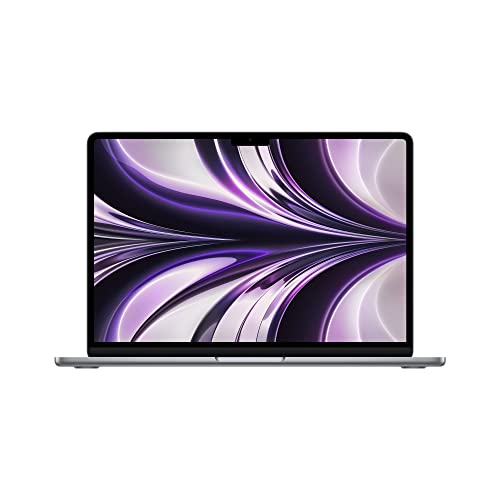 Amazon.in
FAQs for Ultimate Laptop Buying Guide (2025)
Conclusion
Choosing the right laptop in 2025 requires balancing performance, budget, and future needs. Whether you’re a gamer, student, business professional, or content creator, there’s a perfect laptop for you. Use this guide to compare specs and features, ensuring you make an informed decision.
Explore the latest laptop deals on Amazon India! 🚀