


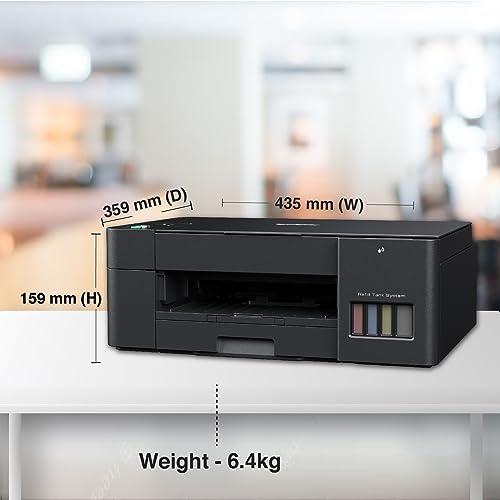

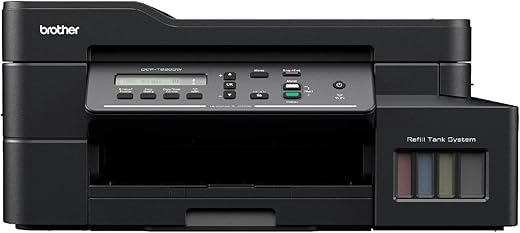
Brother DCP-T220 All-in One Ink Tank Refill System Printer
- Printer type - ink Tank; functionality - all in one (print, scan, copy); printer output - color
- Print Speed - 28/11 ppm (Black/Color), Connectivity - USB, power source: 220 - 240 V AC 50/60 Hz
- Genuine Ink Bottles - BTD60BK, BT5000 C, M, Y; page yield - 7500 pages (Black), C, M, Y - 5000 pages each (colour)
Original price was: ₹13,990.00.₹10,950.00Current price is: ₹10,950.00.
 Amazon.in
Original price was: ₹13,990.00.₹10,950.00Current price is: ₹10,950.00.
Description
- Printer type – ink Tank; functionality – all in one (print, scan, copy); printer output – color
- Print Speed – 28/11 ppm (Black/Color), Connectivity – USB, power source: 220 – 240 V AC 50/60 Hz
- Genuine Ink Bottles – BTD60BK, BT5000 C, M, Y; page yield – 7500 pages (Black), C, M, Y – 5000 pages each (colour)
- Ink Color: Black, Cyan, Magenta and Yellow
- A4, letter, legal, Mexico legal, India legal, folio, executive, A6, envelopes, photo (4″ X 6″)/(10 x 15 cm), photo 2L (5″ X 7″)/(13 x 18 cm)
,
Additional information
Specification: Brother DCP-T220 All-in One Ink Tank Refill System Printer
|
Price History
Reviews (12)
12 reviews for Brother DCP-T220 All-in One Ink Tank Refill System Printer
Add a review
Related Products





Khaled El-Ghazaly –
Printer is new but something wrong
It’s not working at all
Jinu –
Worst model without wifi connectivity. Poor post delivery support.
I brought this priniter and keeping aside as never I could print a single page. It’s a device nothing but to pullout white paper from bundle. Once reported this issue to the local supplier(Hero Computer – SHJ) and have beeing waiting for morethan 15 days for a reply. I am ordering a new printer.
Pulin Borah –
Very reliable. Simply buy and forget. Loved the brand genuinely. Don’t buy cartridge printers. the tank printers make sense.
MOHAMMAD Z. –
like I never heard about brother printer before, but when I searched about it it is one of the most famous printers out there but not in Egypt
delievery time was good came with ink all black and all colors
it is really fast reliable easy to setup and unlick all other printers it protects the paper that you are going to print
if you leave paper in the printer it get yellowish and it get bent but this one has a compartment to protect the paper
I still did not try the colored printing I tried black and white printing with different types of papaers and so far so good
also tried scanning with it which is really important for me
for normal quality scan it can take about 10 second for high quality scan it can take up to 80 seconds and you can not even feel the difference, but am very happy with this purchase
Placeholder –
Using it for almost an year now. Use it for colour prints for school work and occasional family pictures. Works like a pro. Bit slow, but that’s the only thing.
Sunil Budke –
all ggod
Aritra Das –
I take new one it’s printing give lines and dots don’t buy this product very weast loss money
Sung zinwoo –
product quality: light weight
best feature: easy to use
performance: fast printing
Girish H –
Printer is very good, but it’s servicing is very bad . My printer is a physical damage , complain them, but still now 7 days after this printer not working.
Very bad quality servicing center
Rupali –
Review after 1 month of use –
Build quality –
– Strong and compact built quality. Light weight, no items projected outside. Strong top cover which is flexible for book printing also
Print quality –
– I have tried more than 1000+ prints (both color and black) in last 1 month. No problem in ink spillages, printing lines and color variation.
– Color print is excellent but take more time
– Print, Scan and Copy all are very simple to operate and within 1 day my daughter started using it smoothly.
Price –
– Budget printer in this category.
Unique features –
– Inbuilt paper tray for 100+ papers inside the printer
– Special feature for ID card printing
– Both side printing facility is also possible
Suggestion –
– Kindly buy CP-440 printer intead of CP-220 since 220 variant is not having wifi printing/scanning option.
Pulin Borah –
Its only a month ago I just printed not more than 200 copies print quality is good but not as cannon.
I purchased this because of brother is japanese company.
My experience is good print is very fast in term of documents print.software is very user friendly.easy to install
Aritra Das –
For the price it retailed for at the time of purchase, this is the best printer I have used in my life. Incredibly versatile in its capabilities from scanning to printing.. with options to customise between monochrome to 16/24 bit colour reproduction and a multitude of print/scan dimensions or paper sizes, this an ideal all-in-one solution for office scanning and printing needs. It’s colour prints can be set from draft to high or very high quality at 24 bit images, the high and very high quality prints take more time to print since this product is ideal for small businesses or home use, not enterprise or mass printing needs. Can also print all dimensions and custom settings for photo prints ranging from passport to stamp to photo album presets for which it needs standard photograph papers or kodak papers.